Recent activity
Recent activity log displays last actions in the repository (whatever their origin is, for example, back office, REST).
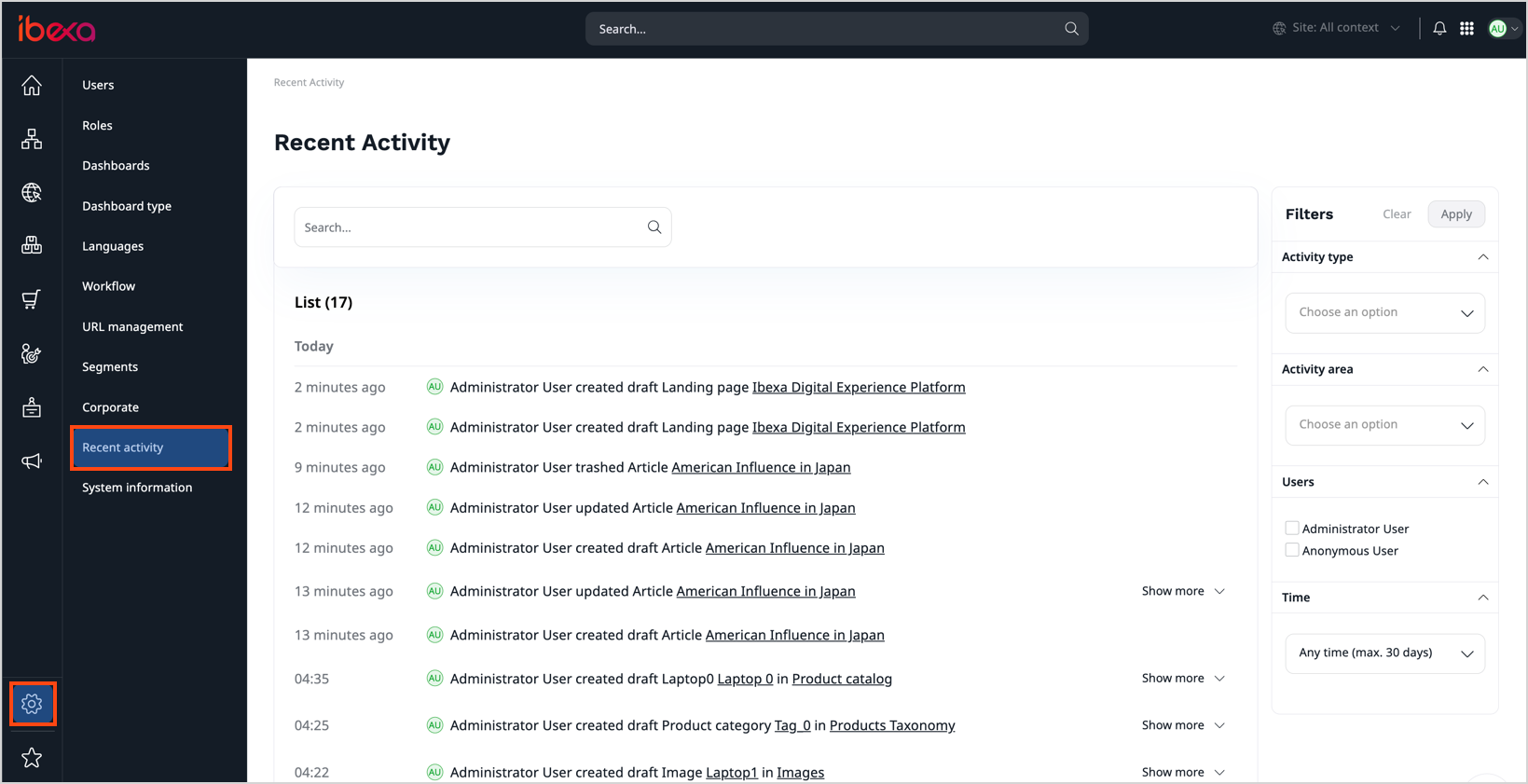
To learn more about its back office usage and the actions logged by default, see Recent activity in User Documentation.
Permission and security
The activity_log/read policy gives a role the access to the Admin -> Activity list, the dashboard's Recent activity block, and the user profile's Recent activity.
It can be limited to "Only own logs" (ActivityLogOwner).
The policy should be given to every roles having access to the back office, at least with the ActivityLogOwner owner limitation, to allow them to use the "Recent activity" block in the dashboard.
This policy is required to view activity log in user profile, if the user profile is enabled.
Caution
Don't assign activity_log/read permission to the Anonymous role, even with the owner limitation, because this role is shared among all unauthenticated users.
User privacy
Caution
A username of the User who performs the action is logged. When acting through the web server, the User's IP address is also logged. Other access, such as console commands, doesn't log an IP. Your Data Protection Officer or GDPR representative should be aware of this, so they can ensure users are informed if needed, depending on your use case, jurisdiction, and company policy.
For example, if a content edition feature, such as reader's comments, is available in the front office, the recent activity log records the front users' IPs.
REST API
You can browse activity logs with REST API. For more information, see the REST API reference.